Workflows that meet
Support activity, app health, marketing, tasks and expenses are organized around the same company-and-product context.
Geofox Hub is the private platform I designed to bring the moving pieces of a software company into one coherent experience: application operations, customers, support, creative production, projects, compliance, costs, and carefully controlled AI-assisted work.
Not a product sold to the public. A substantial internal system built around the way I actually work—and around the infrastructure required as the company grows.
Once an application exists, the work extends far beyond its interface. Customer questions, product failures, marketing production, recurring tasks, vendor costs and compliance checks begin to overlap. I wanted one environment that made those relationships visible without losing the controls that each area needs.
Geofox Hub grew into a company operations center, alongside a distinct private owner workspace. Its navigation uses an icon rail to switch departments, a context-sensitive sidebar within each area, and application/company scopes to keep the right records in view.
Support activity, app health, marketing, tasks and expenses are organized around the same company-and-product context.
Verified sessions, app assignments, module permissions, private attachments and audit history shape the product architecture.
Reusable interfaces, versioned records, repeatable processes and scoped integrations make room for additional apps and team members.
The following interface reconstructions highlight how the platform works and why the pieces were designed together. Select any visual to inspect it full-size.
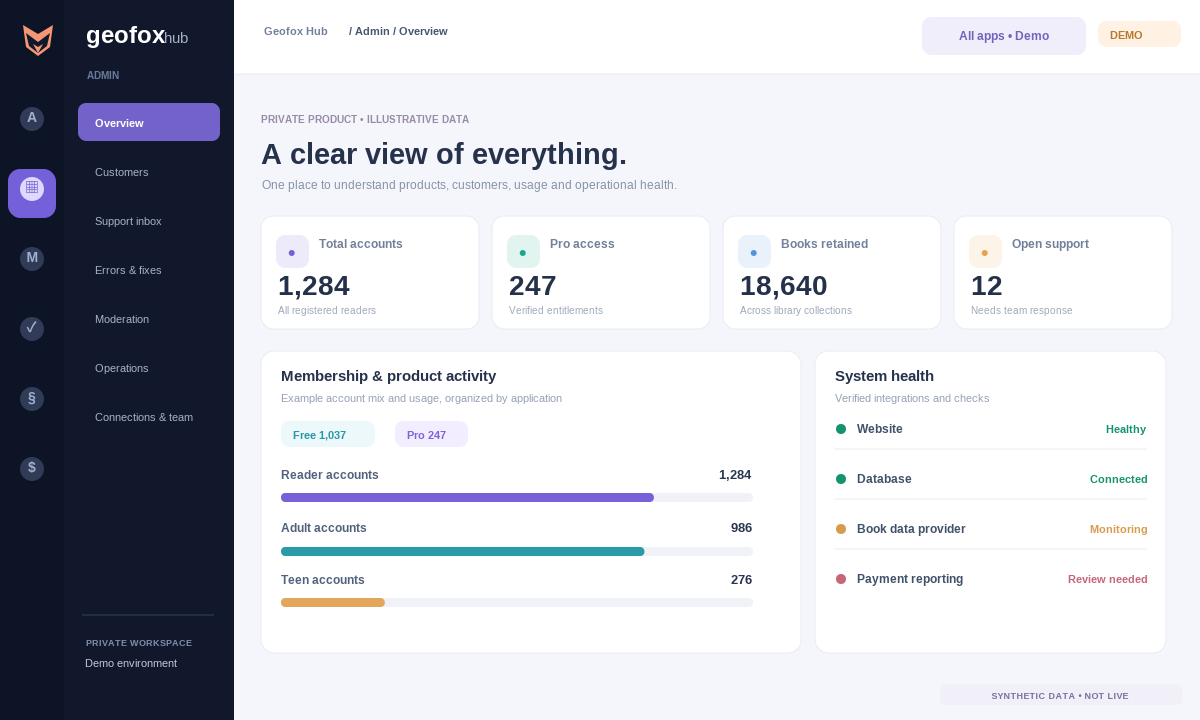
The Admin workspace brings key customer and product signals into a single orientation point: account types, subscription access, retained books, lookup activity, support queues, reported errors and provider health.
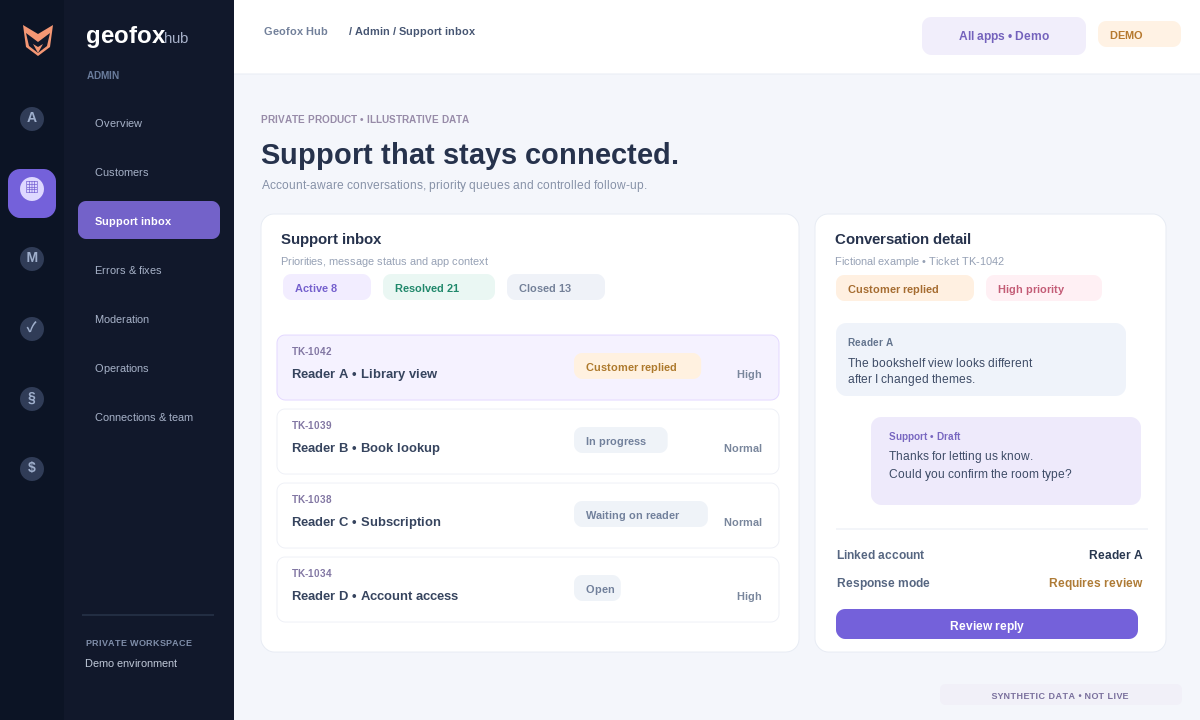
Expand visual ↗Geofox Hub connects the people behind a product to the work of supporting it. Ticket history, account-scoped information, sanitized errors, moderation review and operational follow-up can be navigated without moving sensitive records into a public workspace.
Status, priority, unread replies, private staff notes, customer-linked tickets and deliberate reply handling live in one managed support surface.
 Expand ↗
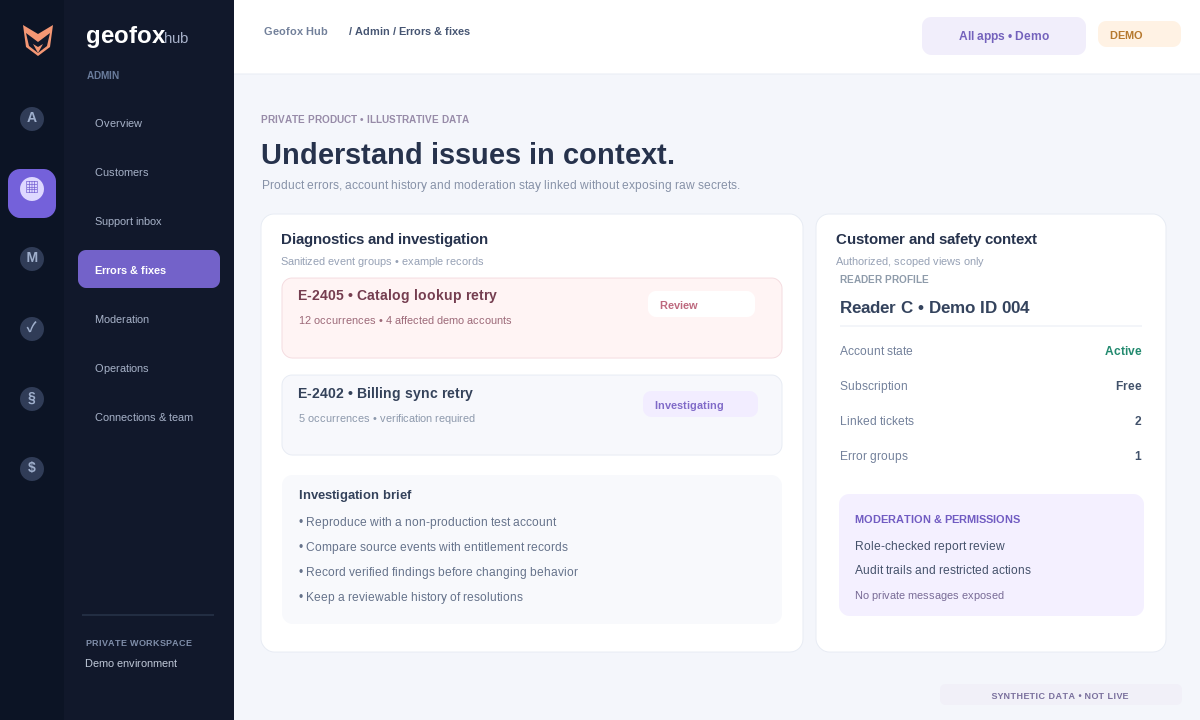
Error groups, customer histories and moderation actions stay within explicit permissions. Investigation briefs support review rather than assuming a reported failure is already fixed.
 Expand ↗
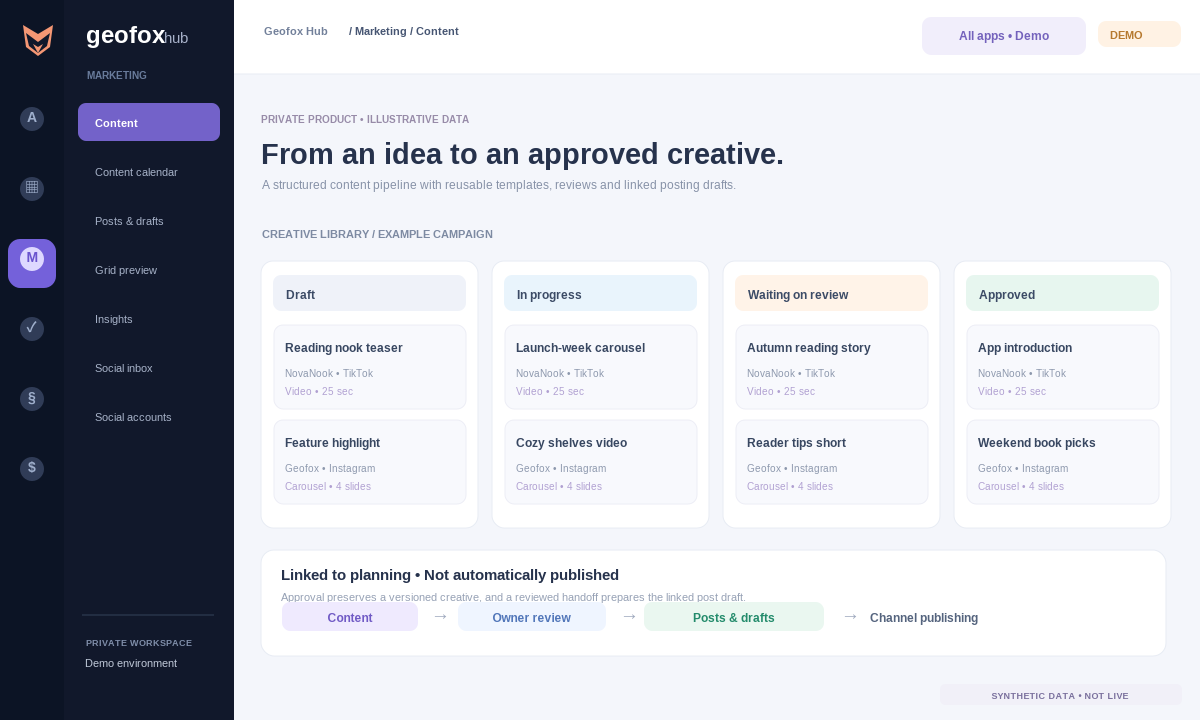
The Marketing workspace is more than a post calendar. It holds content ideas, reusable templates, scripts, captions, thumbnails and media, plus statuses that communicate where every concept sits.
Important distinction: saved calendar dates do not, by themselves, publish to social networks. Direct posting and approved scheduling depend on supported account integrations and explicit authorization.
 Expand visual ↗
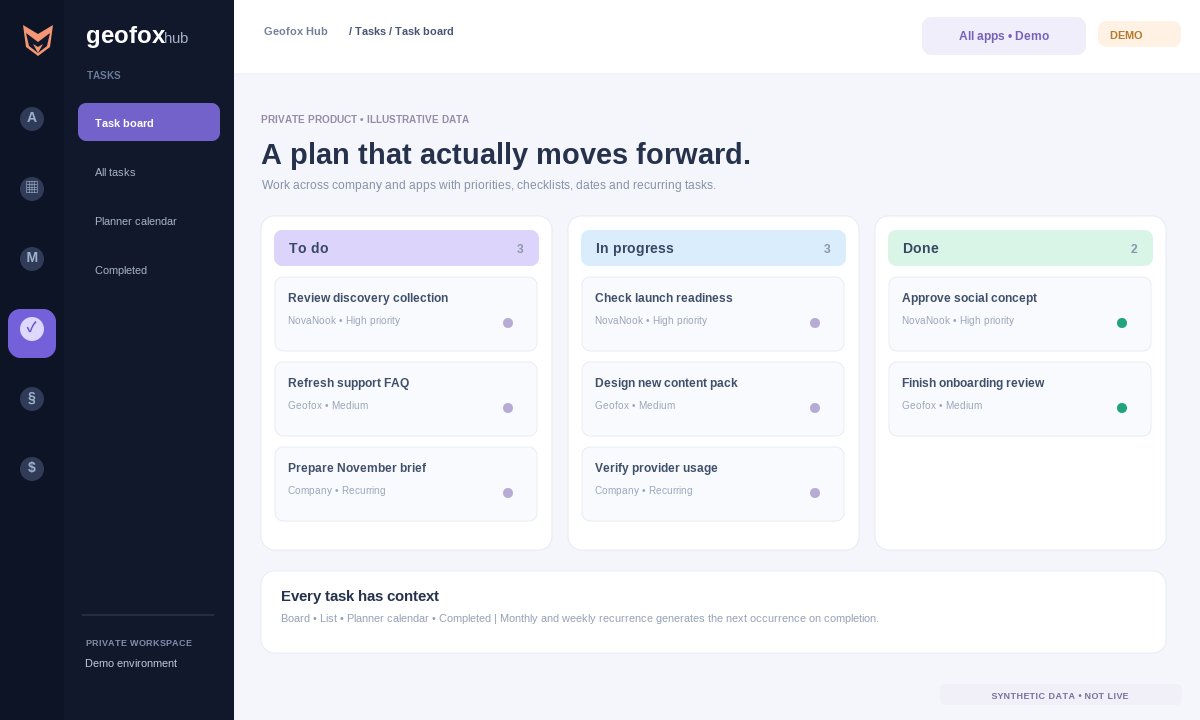
Tasks can be viewed as a board, an organized list, a planner calendar or a completed history. Every item can carry a scope, due date, priority, notes and checklist—useful for both company commitments and application-specific development work.
 Expand visual ↗
Legal obligations, company expenses and service usage are not the same problem, but they belong in the same operating environment. Geofox Hub gives each domain its own clear rules while keeping them reachable from one workspace.
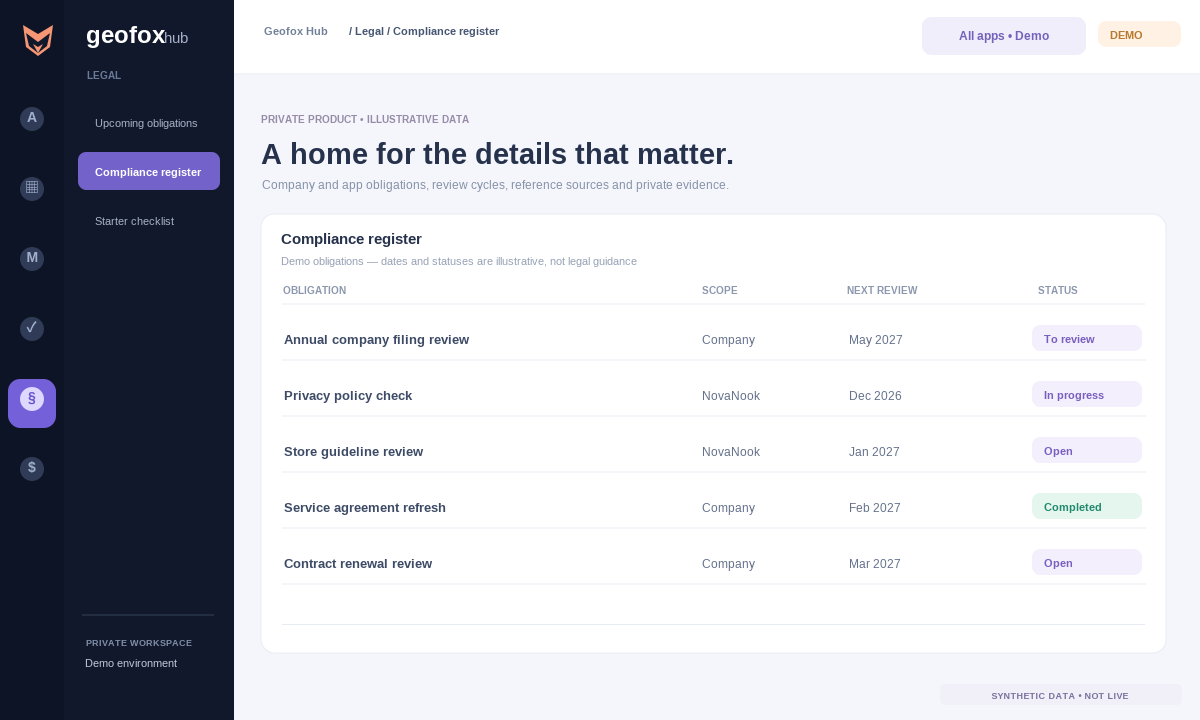
Track filing and review dates, applicability, agency references, fees and private supporting documents. Starter checklists are prompts for human verification, not automatic filings.
 Expand ↗
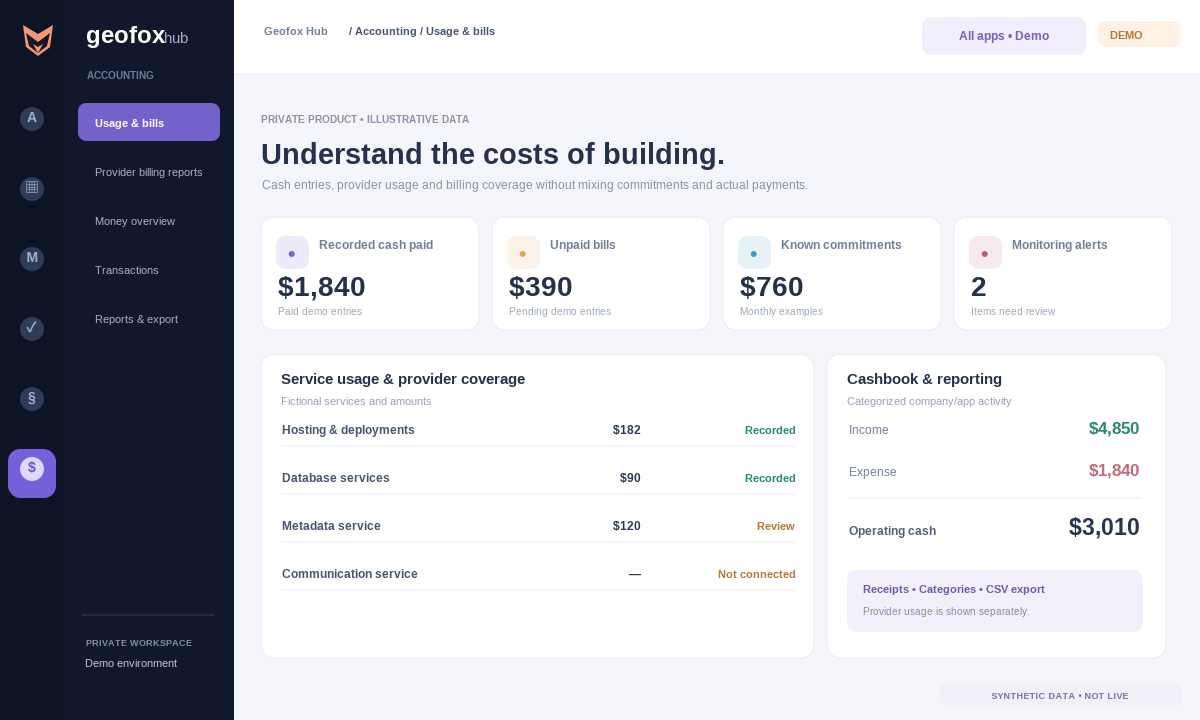
The company cashbook separates paid and pending records, owner transfers and operating results. Provider usage, invoices and subscriptions are treated as different evidence—not silently combined.
 Expand ↗
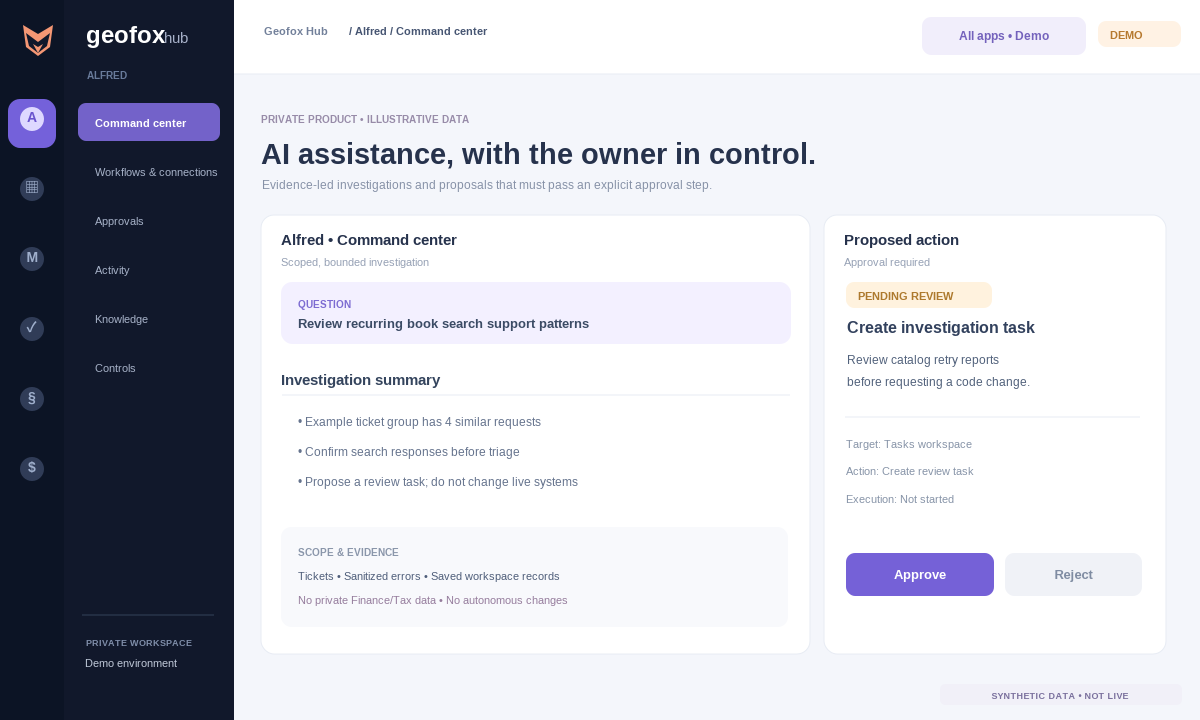
Alfred is the owner-only AI operations assistant within Geofox Hub. It can investigate bounded, sanitized workspace evidence, produce structured findings and prepare specific actions for review.
Where provider integrations exist, they are configured separately, verified and constrained. Alfred is deliberately not presented as an unrestricted autonomous worker.
 Expand visual ↗
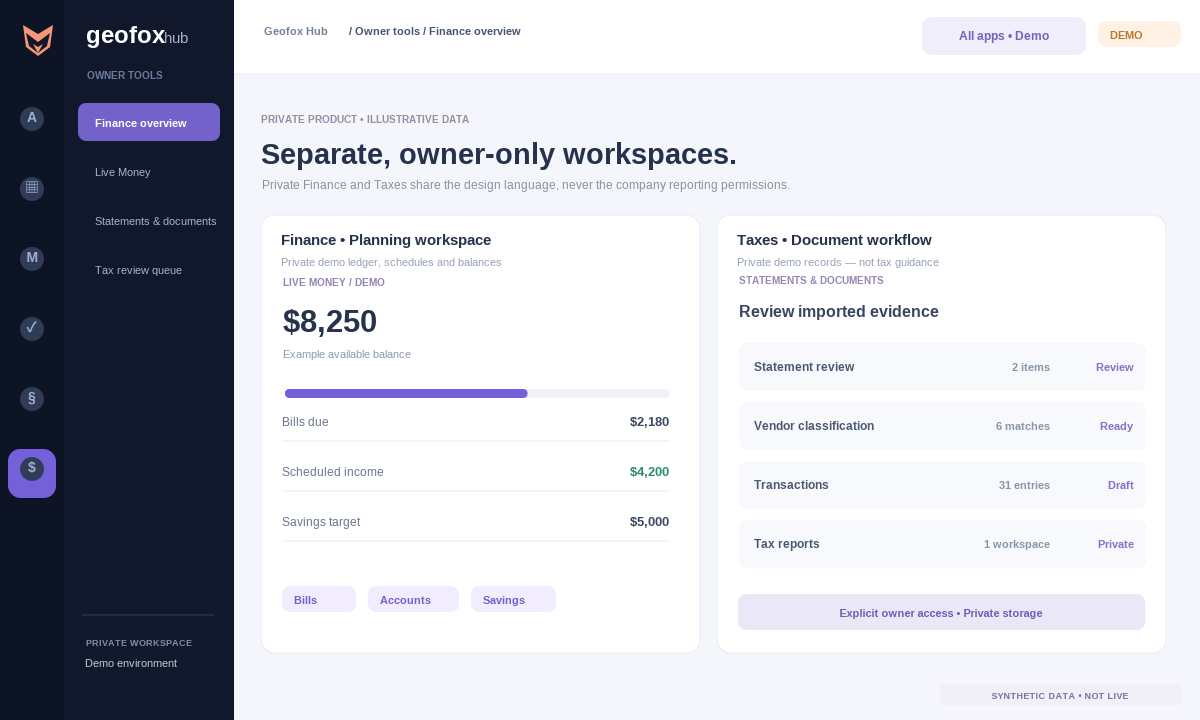
Geofox also contains dedicated personal owner workspaces. Finance organizes accounts, recurring bills, payments, planning, savings, cash-flow projections and reports. Taxes provides statements and document review, transaction classification, vendor rules, business records, review queues and reports.
These are separate from company Accounting and from Alfred's company evidence collection. Access requires additional owner-specific authorization; records are not exposed to ordinary company staff.
 Expand visual ↗
The scalability story is not simply how many menus the Hub has. It is how individual applications, employees, services and workflows can operate inside a consistent system without treating every record or permission as interchangeable.
Department rail, contextual submenus, role-aware navigation, app/company scope selectors and responsive UI.
Server APIs, version checks, activity history, review queues, deduplication and restricted attachments.
Geofox's operational records, bounded NovaNook reads, provider integrations, and isolated owner-only Finance and Taxes.
Support → diagnosis → task. A customer report can be reviewed alongside sanitized error telemetry, then turned into a tracked investigation. Changes still require appropriate approval.
Content → approval → post. A creative asset moves through a versioned review and into the publishing workspace without losing its original brief.
Company → app-specific reporting. The same interface can display shared services or an authorized app scope, without granting every team member every department.
Costs → oversight. Cash paid, pending bills, usage readings and committed expenses remain distinct to avoid misleading totals.
Private owner tools → isolation. Personal planning and document records remain separate from shared operational dashboards and AI evidence.
Geofox Hub is a practical example of designing not just screens, but the logic between them: records, roles, integrations, exceptions, service status, review states and the operating rhythm of a growing digital business.
Mapped interconnected workflows and gave distinct operational disciplines a shared structure.
Designed navigation, summaries, clear status language, planning surfaces and review states for complex information.
Directed implementation and iteration across front-end interfaces, data structures, APIs, testing and integration requirements.
App assignments, owner-only areas, verified session checks, role-scoped records and non-public file storage.
Version-aware writes, auditability, explicit approvals, error reporting and controlled deployment workflows.
Reusable company/app scopes, platform-wide navigation and provider-specific integrations instead of one-off tools.
The Geofox Hub itself is private. This case study shares the system design, operational thinking and product experience without publishing confidential records or suggesting these fictional screenshots are real business results.
Explore Geofox Apps ↗